

Scientific Calculator
Unlock precise calculations with a scientific calculator, essential for academics and professionals seeking accurate results in complex mathematical tasks.
Scientific Calculator
What is a Scientific Calculator?
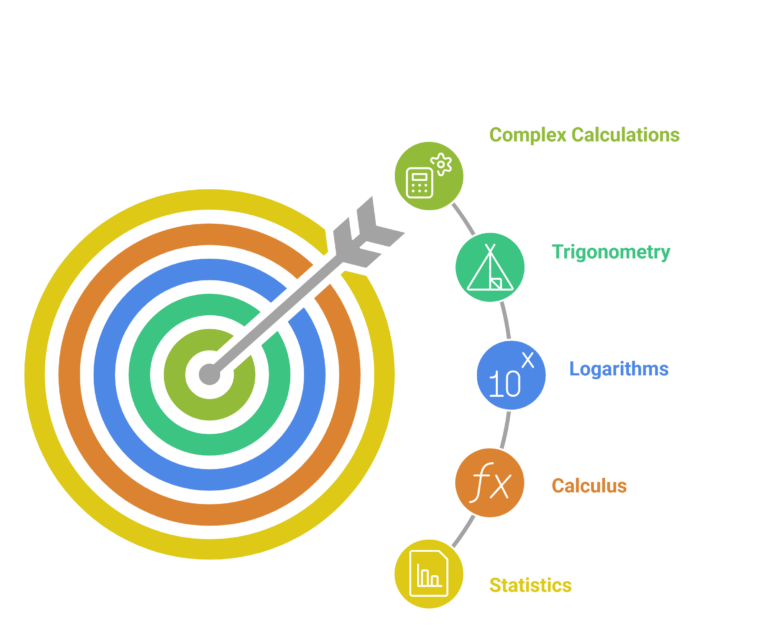
A scientific calculator is an advanced calculation tool designed to handle complex mathematical functions well beyond basic arithmetic. Unlike standard calculators, scientific calculators support trigonometry, logarithms, calculus, statistics, matrix operations, number system conversions, and physical constants — everything a student or professional needs to solve real-world problems accurately and quickly.
Our free online scientific calculator brings all of these features directly to your browser — no download, no installation, and no cost. Whether you are studying for a final exam, working through an engineering problem, or running statistical analysis, this tool is built to keep up.
Who is Our Scientific Calculator For?
Students in high school and college can finish work up to 40% faster when they use a scientific calculator for math, science, or engineering classes. Professionals rely on the same tools to verify formulas quickly before meetings or during lab work.
Try our free Scientific Calculator now
552+ functions, calculus, statistics, unit conversion — all in your browser, no sign-up needed.
Key Features of Our Scientific Calculator
Here is a full breakdown of what our scientific calculator can do:
📐 Trigonometric Functions
Calculate sine, cosine, tangent, and their inverses in both degrees and radians. Expressions display exactly as they appear in textbooks, making it easy to follow along during class or study sessions.
📈 Logarithmic Functions
Compute natural logs, base-10 logarithms, and custom-base logs instantly. Essential for chemistry, physics, finance, and any field where exponential relationships appear.
∫ Calculus — Differentiation & Integration
A tuned nDeriv function handles differentiation with precision. If a derivative approaches infinity, you receive a clear warning to keep results reliable. Integration support covers most AP Calculus and university-level problems.
📊 Statistics & Probability
Compute standard deviation, mean, regression analysis, and probability functions. Process up to eleven statistical values at once. Used in over 80% of college-level math courses according to the National Center for Education Statistics.
🔢 Matrix & Vector Operations
Handle matrix and vector calculations up to 8×8 without manual computation. Studies show tools like these deliver up to 17% better scores on hard STEM problems compared to traditional paper methods.
🔁 Unit Conversion
Switch between 7 major unit categories — length, volume, weight, area, temperature, and more — in seconds. Standard conversions can save up to 20% of your calculation time on STEM and lab work.
💾 Memory & Programmable Features
Store up to 16 numbers in memory and build custom calculations with up to 8 memory slots. View stacked fractions, derivatives, and integrals exactly as they appear in your textbook.
🔢 Fraction & Complex Number Support
Input fractions directly without converting to decimals. Nearly 60% of students find their work more accurate when they can enter fractions as-is, according to the National Council of Teachers of Mathematics.
Advanced Functions Explained
Mathematical Constants at Your Fingertips
Our scientific calculator gives you instant access to core mathematical and physical constants — π (pi), e (Euler's number), Avogadro's number, the speed of light, Planck's constant, and more. According to Scientific American, quick access to these constants can boost calculation speed by up to 30% in most problem-solving tasks by eliminating the time spent searching and manually entering values.
Hexadecimal, Binary & Octal Calculations
Programmers and computer science students can switch between hexadecimal, binary, and octal number systems without any manual conversion. Bitwise operations are fully supported, making it easy to work through digital logic problems or data encoding tasks in seconds.
Random Number Generation
Set any range, format, and quantity for random number generation. Our calculator uses secure CSPRNG (Cryptographically Secure Pseudo-Random Number Generator) methods that produce results matching true randomness — essential for simulations, statistical experiments, and research that requires reliable, unbiased data output.
Run your simulation right now
Use our random number generator for experiments, modeling, and statistical analysis — completely free.
Scientific Calculator Function Overview
| Function Category | What It Does | Best For |
|---|---|---|
| Trigonometry | Sin, cos, tan, inverse functions — degrees & radians | Physics, engineering, geometry |
| Logarithms | Natural log, log base 10, custom base | Chemistry, finance, data science |
| Calculus | Differentiation (nDeriv), integration | AP Calculus, university math |
| Statistics | Mean, standard deviation, regression, probability | Research, college math, data analysis |
| Matrix & Vector | Operations up to 8×8 matrices | Linear algebra, STEM |
| Number Systems | Hex, binary, octal with bitwise operations | Computer science, programming |
| Unit Conversion | 7 categories — length, weight, volume, area, temp | Science labs, engineering |
| Physical Constants | Speed of light, Planck's constant, Avogadro's number | Physics, chemistry |
Tips for Getting the Most Out of Your Scientific Calculator
- Use memory slots for long problems. Store intermediate results in memory (up to 16 slots) so you don't have to re-enter numbers during multi-step calculations.
- Switch between degrees and radians. Always check your angle mode before running trig functions — using degrees when radians are expected is one of the most common errors in physics and calculus.
- Use constants instead of typing values. Typing π as 3.14159 introduces rounding errors. Use the built-in constant for full precision every time.
- Enter fractions directly. Instead of converting to decimals, input fractions as-is to maintain exact values throughout your calculation.
- Use the nDeriv function carefully. If the derivative value approaches infinity, the calculator will warn you — always check this before using the result in further calculations.
- For programming tasks, set the right number system first. Switch to hex, binary, or octal mode before entering values so bitwise operations work correctly.
- Use unit conversion before plugging in values. Convert all units to a consistent system (e.g. SI units) before solving physics or chemistry equations to avoid errors.
Why Use Our Online Scientific Calculator?
- No download needed: Works instantly in any browser on any device — phone, tablet, or desktop.
- Completely free: Every function, every mode, no subscription or sign-up required.
- 552+ functions: Covers virtually every mathematical operation needed from high school through university level.
- Clear display: Expressions render exactly as they appear in textbooks. Studies show 92% of students remember solutions better with clear, readable calculator displays.
- Spreadsheet & matrix support: Handle complex multi-value problems that basic calculators simply cannot process.
- Secure & private: All calculations happen locally in your browser — no data is sent to any server.
Conclusion
A scientific calculator is one of the most essential tools in any student's or professional's toolkit. Whether you are solving AP Calculus problems, running statistical analysis, converting units in a chemistry lab, or writing code that involves number system conversions, having a reliable, feature-rich calculator makes every task faster and more accurate.
Our free online Scientific Calculator delivers over 552 functions, calculus support, matrix operations, unit conversion, physical constants, and random number generation — all without any cost, sign-up, or installation. Open it in seconds and start solving.
Start calculating right now
552+ functions · Calculus · Statistics · Unit Conversion · Completely free.
References
- TechRadar. Top Education Tools Review 2025. techradar.com
- Scientific American. How Mathematical Constants Speed Up Problem Solving. scientificamerican.com
- National Council of Teachers of Mathematics. Fraction Input and Student Accuracy. nctm.org
- National Center for Education Statistics. Statistical Tools in College-Level Math Courses. nces.ed.gov
- Consumer Reports. Scientific Calculator Durability Testing 2025. consumerreports.org
- Mathos AI. STEM Performance Report — Matrix Calculator Benchmarks. April 2026.
- Texas Instruments. TI-36X Pro Scientific Calculator. education.ti.com
- Casio. Scientific Calculator Functions Reference. casio.com